Zilnic oferim programe licențiate GRATUITE pe care altfel ar trebui să le cumpărați!
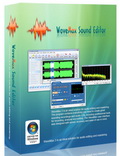
Giveaway of the day — Wavemax Sound Editor
Wavemax Sound Editor a fost chilipirul zilei în 22 martie 2011
WaveMax reprezintă o soluţie ideală pentru editarea şi administrarea fişierelor audio. Programul conţine toate instrumentele necesare pentru crearea unor înregistrări şi CD-uri audio spectaculoase, dispunând inclusiv de instrumente profesionale pentru înregistrare, analiză şi editare. Interfaţa WaveMax a fost concepută pentru utilizare rapidă, uşoară şi precisă.
Caracteristici cheie:
- Înregistrează şi redă pe orice dispozitiv compatibil;
- Dispune de timer şi înregistrare automată la input;
- Toolbar personalizabil;
- Nivele nelimitate de revenire şi refacere a înregistrării;
- Sistem ultra rapid de editare non-distructiv;
- Şi multe altele...
Cerinţe minime de sistem:
Windows 2000/ XP/ Vista/ 7
Publicist:
NITBits Inc.Pagina de pornire:
http://www.wave-max.com/wavemax/Dimensiunile fişierului:
9.04 MB
Preţ:
$39.99
Titluri promovate
Free Mp3/Wma/Ogg Converter este un convertor audio versatil şi un extractor audio care vă permite atât să convertiţi din şi în diferite formate audio, dar şi să extrageţi audio din fişiere video în diferite formate, dispunînd de o interfaţă prietenoasă şi de funcţii redutabile. Dacă doriţi să convertiţi fişiere MP3 şi MWA, acest program este extact ceea ce aveţi nevoie.
Audio Convert Merge Free este un instrument audio rapid şi uşor de folosit, conceput pentru a uni în câteva secunde fişiere MP3, dar şi WMA, WAV, OGG într-un fişier mai mare, fără compresie sau pierderea calităţii. Cu programul nostru de unire fişiere audio, puteţi uni chiar şi capitole separate din cărţi audio într-o singură carte audio sau puteţi combina mai multe melodii într-o compilaţie audio CD. Ca şi convertor, poate converti fişiere audio în format P3/ WAV/ WMA/ OGG la o calitate optimă.
GIVEAWAY download basket




Ofertele iPhone de astăzi »





Ofertele Android de astăzi »




Comentarii la Wavemax Sound Editor
Please add a comment explaining the reason behind your vote.
Installed on a xp pro pc with service pack3 without problems.
Register with the data provided via the drop-down File menu @ Register Master's Edition.
First impression= nice comprehensive tidy audio prog but does it offer anything special in comparison to the many free audio progs out there? IMHO no - not really. However, it is quite nicely laid out and makes it easy for those new to sound editing/recording and it offers batch conversion (although I have not yet tried it), bookmarks , speed and pitch change - handy. Since it's free here today, then some people will no doubt wish to add it to their collection but staunch lovers of Audacity etc may not think it necessary. Nonetheless, it's a handy program so thanks to GOTD & NITbits.
Save | Cancel
Hi ostrov
You could try programs like Audacity or DePopper. The secret to eliminating clicks & pops is to get a good sample of the actual problematic sound. Then it's a case of learning how best to utilise the options offered within the chosen program. Sometimes it may be necessary to record a stereo track in its actual single mono track - one at a time, then blend both tracks back into one again. But that's usually only required with very hard to remove clicks etc. A free copy of Magix may still be available - (try searching the web) if so, then its Cleaning Lab will help you eliminate sound clicks etc - relatively easy as it offers comprehensivew DeClicker, Decrackler & Denoiser mastering options. Good luck.
Save | Cancel
Excellent program!
Nothing negative to report, except that the price tag could be somewhat lowered in view of the available freeware (like Audacity etc.).
But I must add that between Audacity and WaveMax Audio Editor (I extensively used them BOTH prior to today's promotion since WaveMax A. E. v.4.5.1 has been around for quite a while without an update) I definitely prefer WaveMax.
Why? Simply because of its nicer (and more intuitive) GUI and also because editing an audio file (not only cropping, trimming but adding a few effects) turned out to be overall a remarkably faster process in WaveMax Audio Editor.
Highly recommended! Many thanks to the developer and to the GAOTD Team.
Save | Cancel
Downloaded, installed, activated, and registered fine on Vista x32 OS.
Contrary to what poster #1 (Kate) says - program does allow user to batch-convert audio files to: wav, mp3, ogg, wma files. Program also has extensive editing features and effects (too many to mention here), and it's very simple and easy to use, especially with included Local Help Menu. Other nice features include: : (1) CD-load, (2) Load tracks from CD, and (3) placement within windows explorer context menu. The $39.99 price, however, is a bit steep, given the many freeware options (Audacity, Handbrake, SUPER - to name a few) that are comparable in features and capabilities. Overall, though, two thumbs up, and a big thanks, GOTD & NITBits, for the offer.
Save | Cancel
The WaveMax Sound Editor is essentially a front end for the NCT code libraries we've seen on a few [much?] earlier GOTD apps. This time a dozen NCT files are added to & registered in Windows' system folder -- this usually is not a problem, but sometimes they don't work [I've read several reports of not working in Vista], & they can take the place of &/or conflict with already installed Direct Show/Direct Sound files [filters]. WaveMax uses most but not all available features/functions available with or in that NCT code -- for example I didn't see anything about volume limiting during recording. Being dependent on the NCT files, WaveMax also has limited import/export &/or conversion capabilities & it won't work with plug-ins. That said, this isn't a pro level app, & doesn't pretend to be, so IMHO comparison with those sorts of tools isn't all that useful -- it's here, now, & if it does what you need, works for you, & you like the GUI, go for it.
As mentioned, installing the WaveMax Sound Editor adds a dozen files to Windows' system folder where they're registered with Windows, & so are pretty much available to any other Windows app that wants to use them. If you already have these NCT files installed, or if you later add an app that uses them, these files & their registry entries in my experience stay the same. WaveMax may also install Windows Media Components -- wmfdist.exe is included & stored in the app's installed folder. That folder takes up ~7 MB with a total of 7 files, & you also get a new folder under User\ Application Data, plus msvcr70.dll is added/registered alongside the NCT files. As far as registry changes go, installation adds a dozen keys for shell integration, context menus etc., an uninstall key, & the app's somewhat large key [lots of stored values], but adding the NCT files brings the total new entries up to a recorded 3.6 k. Older versions of the lame mp3 encoder files are included/used in the WaveMax Sound Editor folder -- with these NCT-based audio apps I've not had any problems replacing them with newer versions, but neither have I noticed any huge difference doing so. According to Process Explorer [SysInternals at Microsoft.com] WaveMax uses both Internet Explorer & Direct 3D -- when/if D3D is emulated in software it can put a fair load on the CPU, which could account for the fairly high CPU load I saw with a wav file loaded but the app just sitting there.
There are a LOT of audio apps available -- it may actually be the one category of software with more alternatives than there are Video Converters... add in all those video apps that do double duty, can handle audio-only projects & the large number of choices grows even bigger... unless you're limited to free apps you can easily afford to be picky. To me then WaveMax on GOTD is a matter of convenience, not unlike grabbing a hotdog at the gas station while you're there, rather than taking the time out for a better meal... BTW there's nothing wrong with that IMHO as long as it's your choice. WaveMax is easier to look at than Wavosaur or Audacity, many other audio apps can leave you feeling dazed/confused the 1st time you fire them up, & much [maybe even most] of the time you might not want or need all the extra FX, bells & whistles that the folks creating music crave. If you're after more OTOH you might want to check out the apps at places like musiciansfriend.com to get an idea what pros & semi-pros use, then with that in mind hit Google/Bing for even more alternatives.
Save | Cancel