Zilnic oferim programe licențiate GRATUITE pe care altfel ar trebui să le cumpărați!

Giveaway of the day — Video Detailer 1.0.0.36
Video Detailer 1.0.0.36 a fost chilipirul zilei în 7 mai 2019

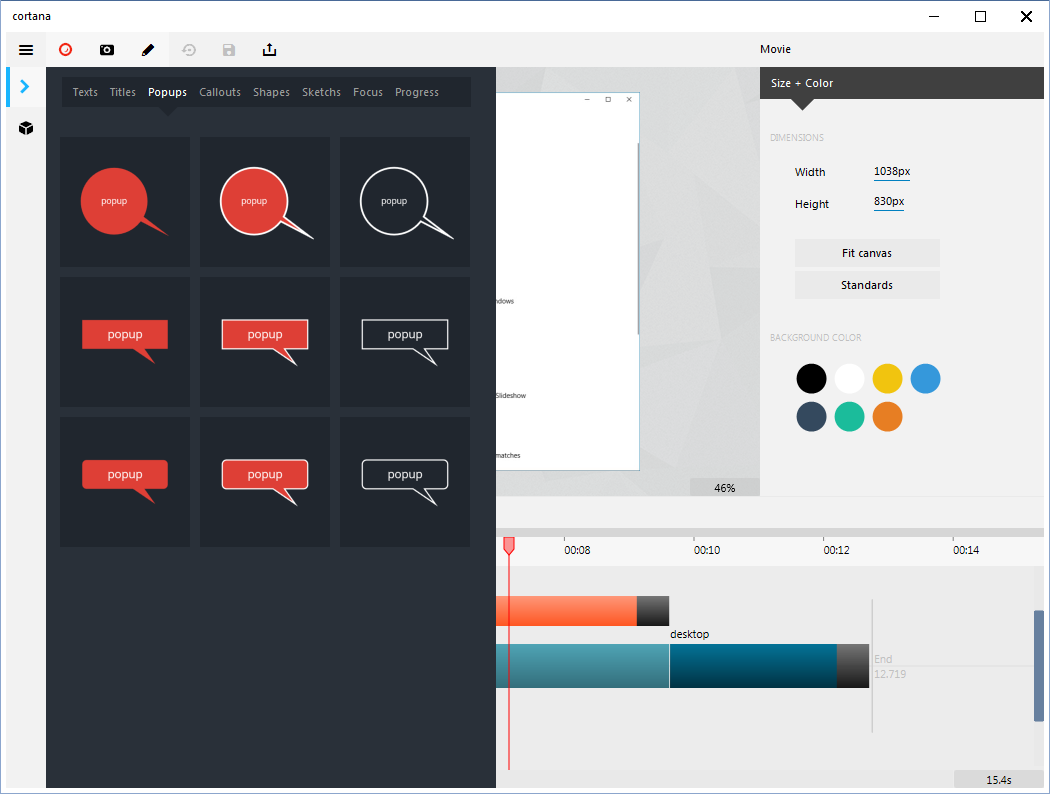
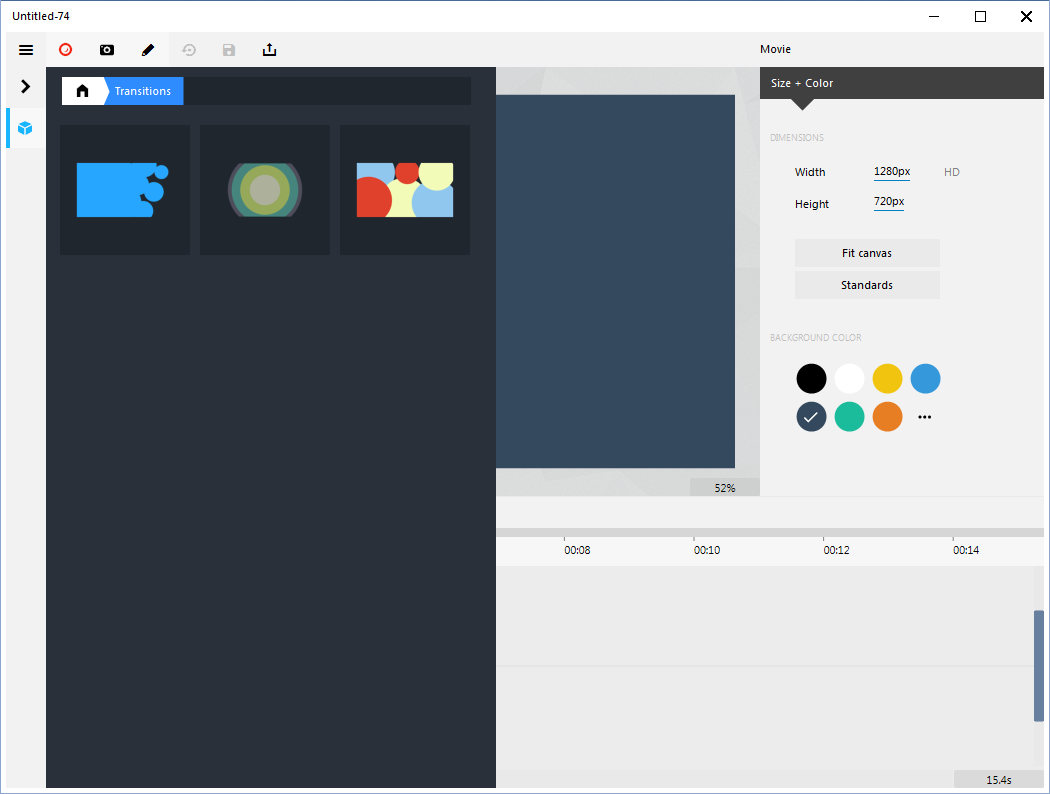

Video Detailer este un elegant, ușor de utilizat instrument pentru a face clipuri video de tot felul pentru cei care nu doresc complexitatea de aplicații care sunt dificil de a învăța. Acesta funcționează la fel de bine pentru un incepator ca profesionist și nu există nici o programare implicate. Experiența dumneavoastră cu program va fi aproape în întregime point-and-click, folosind ușor, instrumente intuitive. Context-sensibile meniuri și opțiuni ajuta să vă conducă prin chiar cele mai complexe producții.
Puteți produce tot ce se poate visa în sus. Dacă ați văzut-o prezentare video pe TV, într-o sală de clasă, la o întâlnire de afaceri — tot ceea ce ai văzut, poate fi realizat. Puteți crea clipuri video de instruire, asistență și instruire, demonstrații de produse și instrumente de marketing, video cv-uri și a obține mai multă atenție în mass-media sociale. Singura ta limită este imaginația ta.
The current text is the result of machine translation. You can help us improve it.
Cerinţe minime de sistem:
Windows 7/8/8.1/10 (x64)
Publicist:
Tanida SoftwarePagina de pornire:
https://www.videodetailer.comDimensiunile fişierului:
23 MB
Preţ:
$149
Titluri promovate

Crea demonstrații video. Organiza mass-media, materiale de suport pentru client, angajat de formare și de afișare produs. Programe de captare pe măsură ce le utilizați și de a alege între înregistrarea o fereastră activă sau o zonă de pe ecran.
GIVEAWAY download basket




Ofertele iPhone de astăzi »





Ofertele Android de astăzi »





Comentarii la Video Detailer 1.0.0.36
Please add a comment explaining the reason behind your vote.
1-It only opens "TDV" Files however you still can import other types of files photos and videos .
2- once you install it , avoid the red button of recording and click on the blue one next which says create blank movie .
3-Click on the up top left 3 black lines to open the menu , Click on settings , then uncheck the " Automatically check for updates " Option .
4- look down the menu on the left , there are two dots like buttons , one black and one white , click on the white one , then click on the "Enter Activation Code " Click ok . you will get an error message Don't worry at all , just click continue using the app , it's already registered to giveawayoftheday
5- when you close and open the software again , go to the settings to check whether the automatic update is still unchecked or returned to be checked again , since this happened to me . and make sure it's unchecked .
6- There is actually a newer version 1.0.0.37 but if you went into updating it your software will turn into a trial version then your current version will not work again unless you buy the new version .
Save | Cancel
Tanita, the folks behind Video Detailer, are very forthright when they say in their ad copy: "Video Detailer is an elegant, easy-to-use tool for making videos of all sorts for those who don’t want the complexity of applications that are difficult to learn." They don't pretend that Video Detailer is a full NLE [Non Linear (video/audio) Editor], which is fine, and an NLE does take some learning. OTOH, when they sort of imply that you can do everything that you can with a good NLE, that's a bit misleading. You could for example create a respectable YouTube video, but it's not really going to compare with the work done by pros making money from YouTube using a full NLE. Personally I'd classify Video Detailer as a cheaper alternative to the popular Camtasia -- one that also focuses on importing video.
techsmith[.]com/video-editor.html
That said, you can get an NLE much cheaper. DaVinci Resolve is free. Corel's VideoStudio Pro usually winds up on sale for around $25 towards the end of a version's shelf life, as Corel gets ready to release the next version. The same for Nero Ultimate, which include a NLE. But they all, especially Resolve, do take some learning.
blackmagicdesign[.]com/products/davinciresolve/
Save | Cancel
It should be very helpful to mention, that the GOTD-zip was renewed.
Just after start of the GOTD-periode I dowloaded the ZIP and in the Readme was a short code and the text, that it was selfregistring. (and install the software using the Setup.exe file, the program is automatically registered if you install it on the day of the giveaway.)
Now I read that there is a long code, so I downloaded it again and the Zip is different.
Place a posting if you alter the ZIP with a better one.
Save | Cancel
Installed and activated OK but when I click on Record screen I get a popup message saying Exception EOverflow in module nvwgf2umx.dll at 000000000096AD6C. Floating point overflow.
Save | Cancel
Excellent and speedy response from Dan at Tanida support.
I opened a ticket on their site just after posting my comment on here and got this reply a few minutes ago :
Hi Sandra,
We are aware of this issue.
The bug is related to nvidia graphics driver and it has been fixed.
We have just uploaded a new version on the server.
Please re-download/install the latest version, v1.0.0.38 https://www.videodetailer.com/vdsetup.exe
*no need to uninstall the previous version. the new version will automatically uninstall the previous version.
*use the same activation code.
I am pleased to say that the program works fine now and it accepted the original activation code to remove the 15 day trial limitation.
Sandra
Save | Cancel
Straight forward installation win 7 64bit laptop.It seems on first use functional and useful.Made a very cool 10 second (which was full of info and exciting dynamic visuals) Gif 480x 360 [862k] .The layout is sort of non windows but you get the hang of it once you have a dummy run at creating something.Things and options reveal themselves as you poke about.
Save | Cancel