Zilnic oferim programe licențiate GRATUITE pe care altfel ar trebui să le cumpărați!
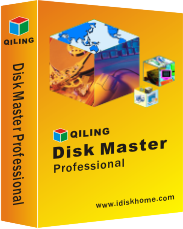
Giveaway of the day — QILING Disk Master Pro 5.5
QILING Disk Master Pro 5.5 a fost chilipirul zilei în 27 noiembrie 2021


The biggest nightmare for a computer user is data loss and system crash, once happened, reliable and up-to-date backups are extremely necessary and important. QILING Disk Master covers all the needs to recover your lost data and restore crashed systems in minutes. It's advanced and reliable data backup & system disaster recovery software for home office and business desktops and laptops. It enables users to perform self-service backup operation with comprehensive full/differential/incremental backup.
Easy system drive backup of all contents, including Windows operating system and system settings without interrupting your work.
Block-level disk imaging quickly and efficiently backs up the entire disk or volumes.
File-level backup allows you to selectively back up specific files, folders or file types, including network shared files.
Compress selectively files, folders or file types, including network shared files to a zip file.
Flexible backup scheduler allows backups to run based on daily, weekly, monthly or event.
Easily manage backup job and automatically delete the out-of-date backup images, saving storage space.
Runs as a Windows service - ideal for unattended Servers. Backs up even when system logged out, slept or hibernated.
Based on a full backup, the software enables only backup changed or new data in order to save time and disk space for you.
Back up specific files and volumes without interrupting any current operations, especially for open files backup.
The current text is the result of machine translation. You can help us improve it.
Cerinţe minime de sistem:
Windows XP/ Vista/ 7/ 8/ 8.1/ 10; amd64 or compatible CPU with a main frequency of at least 500 MHz; 1GB RAM
Publicist:
QILINGPagina de pornire:
https://www.idiskhome.com/Dimensiunile fişierului:
26.9 MB
Licence details:
1 year, no updates
Preţ:
$39.00
Titluri promovate
QILING Disk Master Technician is complete toolkit to simplify partition manager and migrate OS and backup & recovery software for IT administrator, technicians and consultants. With simple and easy-to-use interface, anyone, even non-technical users, can protect all of critical business data in minutes to ensure business continuity without having to need an expert.

Deleted by mistake, formatted drive or inaccessible/RAW disk? Don't worry, Deep data recovery software will help you quickly scan and recover the deleted and lost files. Deep data recovery completely recover lost files, pictures, documents, videos, after deleting, formatting, partition loss, OS crash, virus attack, and other data loss scenarios. It provides comprehensive file recovery solution for you to get back all lost data from hard drive, USB flash drive, SD card, digital camera and other removable drives etc. The hard drive recovery software is 100% secure and effective.

Permanently wipe the disk or shared data, irreversibly remove sensitive data easily and effectively. The File Shredder tool offers the powerful protection for your important information and privacy, the certified data erasure algorithms make sure your data unrecoverable by others, its high-speed wipe feature can save your valuable time, it also rarely occupies system resource.
GIVEAWAY download basket




Ofertele iPhone de astăzi »





Ofertele Android de astăzi »





Comentarii la QILING Disk Master Pro 5.5
Please add a comment explaining the reason behind your vote.
"To activate your free copy visit the page below. Fill in the form and submit your data. Registration information will be sent by email."
Filled in the form several hours ago and NO email received.
Ran the setup for 30-day trial and the install generated error reports.
Save | Cancel
I think they've undersold this program's capabilities. Though I have NOT YET TESTED everything, it offers full-image backup/clone, "regular" backup, bare-metal recovery, disk partitioning (incl. moving/resizing partitions), RAM disk, a file shredder, disk health checks & repairs, and a slew of other features.
If everything works correctly, this could replace several other applications. Worth a look!
Save | Cancel
I've never heard of this program and am having trouble finding reviews online. If somebody here has used it or is aware of its reputation, please speak up!
By the way, after you install it takes you a page that describes its features better than I could:
https://www.idiskhome.com/main/product_pro.shtml
Save | Cancel
How does restoring work, as we can only install it now, not when a restore is needed?
Save | Cancel