Zilnic oferim programe licențiate GRATUITE pe care altfel ar trebui să le cumpărați!
Giveaway of the day — Color Projects Pro 1.14 (Win&Mac)
Color Projects Pro 1.14 (Win&Mac) a fost chilipirul zilei în 14 decembrie 2015
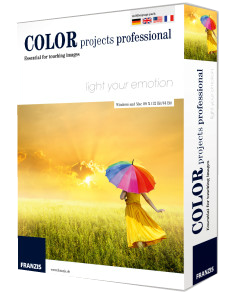
COLOR Projects professional oferă posibilități noi și unice de transformare a pozelor digitale color în uimitoare opere de artă cu ajutorul instrumentelor inteligente, cu un flux de lucru clar și eficient. Cu emularea filmului puteți intensifica imaginile portret și simula felul în care arată un film vechi. Transformați pozele dvs. într-unele cu adevărat atrăgătoare - indiferent de tipul subiectului ales.
Notă: Dacă folosiți un sistem Mac, descărcați aici(119 MB) fișierul de instalare.
Cerinţe minime de sistem:
Windows Vista/ 7/ 8/ 8.1/ 10; (x32/x64); Dual Core Processor, 2 GB RAM, 2 GB HDD, Screen Resolution, 1280 x 1024 Pixels, Graphic Card: DirectX-8-compatible, 128 MB, 32 bit colour depth; Mac OS X (10.7 and higher), 64 bit, Intel Processor/G5, 2 GB RAM, 2 GB HDD, Screen Resolution 1280 x 1024 Pixels
Publicist:
FRANZIS Verlag GmbHPagina de pornire:
http://www.projects-software.com/color-projects-professional/Dimensiunile fişierului:
80 MB
Preţ:
$137.72
Titluri promovate
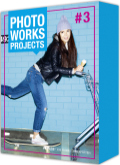
Photo works projects #3 editează automat pozele prin combinarea analizei informațiilor legate de culoare, luminozitate și contrast. Umbrele late dispar cu fiecare click, dar culorile și contrastul sunt mai intens definite. Profesioniști în editare pot personaliza după dorință setările în funcție de motiv: scoaterea zgomotului din poză, precizie, contrast, optimizarea luminozității și a umbrelor, setările gamma și culoare, filtrele, emulații, etc. Achiziționați-l acum pentru 20.00USD, în loc de 149.71USD
Ofertele iPhone de astăzi »




Ofertele Android de astăzi »





Comentarii la Color Projects Pro 1.14 (Win&Mac)
Please add a comment explaining the reason behind your vote.
This is a quite old version with reduced number of functions. Here is a comparison page. Looks like an attempt to get users to go for a paid upgrade.
http://www.projects-software.com/compare/2/18,14/color-projects-professional-vs-color-projects-4/
Save | Cancel
I like the sound of this project very much. I could use this programme, but at the same time I can see something is not quite right.
If I go to the website of the manufacture I can see they are now on version 4 and the cost is a only 99$.
1) Why is looks like an old version costing more than a newer one?
2) Plus what are the differences between Version 1.14 (this one) and V4 which one can purchase?
Perhaps someone from GAOFD or Franzis could give us more information please.
Save | Cancel
no winxp support ?
Save | Cancel
Opened and functioned in XP.
Only programs that use functions that were added by Microsoft after XP will not run.
Nothing to do with Microsoft support which is mainly regarding security.
Save | Cancel
Watch out. They already sent a newsletter to my e-mail address. When I went to the bottom to remove myself from their mail list, it was all in German. I don't have a clue as how to get removed from getting anymore correspondence from these people so I had to put them on my Junk e-mail list. I don't like to do that because they may actually need to contact me for something important but I do not want any more newsletters, especially ones I don't read the language.
Save | Cancel
Downloaded and installed and seems really good. The learning curve is a bit notable and don't miss the film emulation selection (which you can mouse-over and scroll through, like Silver Projects, a previous GAitD, but unlike B+W Projects, which makes the latter less good IMHO and I wouldn't recommend doing what I did and upgrading to B+W from Silver until they fix it).
Instant guide: Load a picture, play with the canned effects on the left side, play with the Film type on the right side panel (mouse-over and scroll). Add/remove filters from the top of the right panel, select them in the middle of the panel and tweak their effects at the bottom (may need scrolling down). The boxes at the top of the left panel filter the effects that are listed in the panel, so ignore them initially. On a faster computer you can use the Eye icon on the toolbar to disable the preview mode and show the final image in the main window, which IMHO is worth doing.
When saving the final image note that the first dialog, where it asks for the title, is going to write that over the image, it isn't the file name.
Save | Cancel