Zilnic oferim programe licențiate GRATUITE pe care altfel ar trebui să le cumpărați!
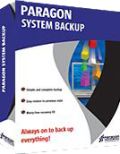
Giveaway of the day — Paragon System Backup 10 Special Edition (English Version)
Paragon System Backup 10 Special Edition (English Version) a fost chilipirul zilei în 26 ianuarie 2011

O soluţie simplă, automată şi eficientă de backup pentru protecţia completă a computerului!
System Backup este uşor de utilizat şi automatizat. Automatizare inovatoare pentru protecţia programată pentru întregul sistem şi pentru date.
Trăsături cheie şi beneficii ale programului System Backup:
- Automatizarea inovativă în mod regulat vă ajută să iniţiaţi protecţia sistemului dvs. şi a datelor imediat după înstalarea produsului.
- Setaţi strategia de backup. Backup-up ciclic stabileşte rurarea unei protecţii proprii a sistemului, punând la dispoziţie o strategie de back-up “set-and-forget”.
- Cu ajutorul intrumentului de creare a unui nou mediu de stocare, System Backup va analiza sistemul dvs. şi va determina spaţiul cel mai potrivit pentru stocarea imaginilor de backup.
- Sistemul inteligent de backup Paragon distribuie eficient resursele între aplicaţii atunci când face backup în modul automat, astfel că puteţi continua să lucraţi la computer fără nici un fel de interferenţe în ceea ce priveşte performanţa lucrului.
- System Backup este bazat pe simplicitate şi necesită intervenţia minimă a utilizatorului
- Sistem avansat de notificare. Indicatorii coloraţi din bara de unelte vă informează în legătură cu gradul de risc al sistemului şi al datelor şi vă indică metode prin care puteţi remedia problema.
Dacă utilizaţi un sistem pe 64 de biţi urmaţi legătura. (dimensiunea fişierului: 87.1MB)
Suport Tehnic:
Pe durata perioadei giveaway, Paragon Software vă oferă suport tehnic la adresa http://twitter.com/paragonsoftware. Postaţi eventualele întrebări sau nelămuriri apărute în timpul descărcării, înregistrării sau utilizării acestui program software. Echipa de suport tehnic Paragon Software vă va răspunde în cel mai scurt timp posibil.
Cerinţe minime de sistem:
Intel Pentium or compatible, 233MHz or higher processor; 128 MB of RAM; 100 MB of HD for the program installation; extra free HD space for the snapshot storage (either on external or internal disk drive); Limitations: No WinPE included in this download
Publicist:
Paragon SoftwarePagina de pornire:
http://www.paragon-software.com/home/sb10se/Dimensiunile fişierului:
87.1 MB
Preţ:
$29.95
Titluri promovate

Partiţionarea nu este pentru amatori. De aceea milioane de oameni au încredere de peste 15 ani în tehnologiile noastre sigure şi stabile şi în soluţiile profesionale de software. Cu ajutorul ultimei versiuni 11 puteţi organiza uşor hard disk-ul şi redistribui spaţiul liber pentru a creşte performanţa computerului dvs.
Preluaţi controlul complet asupra siguranţei computerului dvs. Bazat pe un backup solid şi pe un software de recuperare date de la Paragon, noul Backup & Recovery 2010 Free Advanced Edition vă va oferi un set bogat de unelte în care puteţi avea încredere.
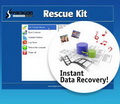
Nu aşteptaţi un eventual dezastru să lovească sistemul dumneavoastră – procuraţi un set de recuperare a sistemului şi datelor pentru a vă asigura protecţia computerului! Rescue Kit professionally rezolvă problemele de butare şi deasemenea vă salvează datele atunci când sistemul eşuează butarea. Poate să salveze chiar şi partiţiile şterse. Tot ce trebuie să faceţi pentru a avea un control deplin asupra situaţiei este să scrieţi programul pe un CD/DVD!
Comentarii la Paragon System Backup 10 Special Edition (English Version)
Please add a comment explaining the reason behind your vote.
I see this program backs up the system, while the "Backup & Recovery Suite" backs up AND allows recovery. According to their website (http://www.paragon-software.com/home/sb10se/comparison.html) there is NO RECOVERY method. Even on the web page (http://www.paragon-software.com/home/brs/comparison.html)showing the "normal" products sold the only recovery feature comes in "Backup & Recovery Home", "System Backup 2010", "Backup & Recovery Suite". Does this allow recovery of the backup and, if so, what recovery system is employed?

Hello guys!
System Backup allows recovery, of course :-) From the program you can create bootable Recovery CD, and when you need to recover from backup, just boot your PC from this CD and run Restore Wizard from it.
Comparison table says that special edition doesn't have WinPE CD and doesn't have tool to restore backup to virtual machine.
Sure, it work on Windows XP Home :-)
@#1 questions: I don't know about System Backup 10, but I trialled System Backup 2010 from GAOTD some time ago. I rejected it (in favour of other Paragon products) because System Backup is so automatic and confined (read single-minded) it doesn't suit my purposes. If you are looking for a simple set-and-forget system, it will do the job. It WILL allow restoration of the backed-up data and for this it prompts you at the outset to write a recovery CD/DVD/USB flash disk. Should your computer crash, you can restore from your backups by booting from the CD. However there is no provision for correcting problems on the drive/file recovery by examining the disk or for selecting files to restore etc. It's simply: get a new drive and write the backed-up partition to it.
My tips: 1. write SEVERAL recovery CDs - if the CD fails you're in trouble (the backup data is proprietary format). 2. If you choose to use a USB recovery stick, make sure your computer will look for it and boot from it - then keep it safely stored away. 3. Backup to an EXTERNAL drive (not to your system drive) 4. Keep your external backup plugged in so that System Backup can write to it when it wants to. 5. Instal Microsoft Recovery Console and use it to check your drives regularly for errors. (Paragon products don't handle drive errors well.)
@#2 Malikk: Yes, it should work on XP home.
Re #1: Recovery: http://www.paragon-software.com/home/sb10se/
[near bottom of page]
Restore Features
"Easy restore to a previous state - System Backup 10 Special Edition restores a snapshot of your PC to the point where it last ran smoothly.
Selective restore - Easily extract files and folders from a snapshot without needing to restore the whole PC."
Re: System? not stated but near top of benefits list:
Software and Hardware Support
New Linux kernel - The latest Linux kernel provides support of wider range of hardware.
Had similar previous GAOTD from Paragon - installed easily and did a good back-up. Used the free version on wife's machine. Test restore ok, no actual restore done, however.
Thanks GAOTD & Paragon!
Best
Here's direct registration link for this giveaway:
http://www.paragon-software.com/registration/sb10SE
Ofertele iPhone de astăzi »





Ofertele Android de astăzi »





post not working in firefox
Save | Cancel